Overview
In this article we will explain how to connect a MongoDB database to Preset. Both self-hosted MongoDB and MongoDB Atlas are supported. Preset queries MongoDB with SQL: each collection appears as a table, and each MongoDB database appears as a schema. So let's get started!
Allowlist Preset IPs
Preset Cloud runs on four regions. For Preset to access your data, first thing you need to do is to add region based Preset IP addresses to your Inbound and Outbound firewall rules. On MongoDB Atlas, add them under Network Access → IP Access List.
us-west-2 (us1a) | us-east-1 (us2a) | eu-north-1 (eu5a) | ap-northeast-1 (ap1a) |
|---|---|---|---|
35.161.45.11 | 44.193.153.196 | 13.48.95.3 | 35.74.159.67 |
54.244.23.85 | 52.70.123.52 | 13.51.212.165 | 35.75.171.157 |
52.32.136.34 | 54.83.88.93 | 16.170.49.24 | 52.193.196.211 |
If you are not sure where your Preset workspace is located, you can refer to the URL on your browser when accessing Preset. It should look like this: https://xxxxxxxx.us2a.app.preset.io/superset..., where us2a means it is in us-east-1.
Select MongoDB
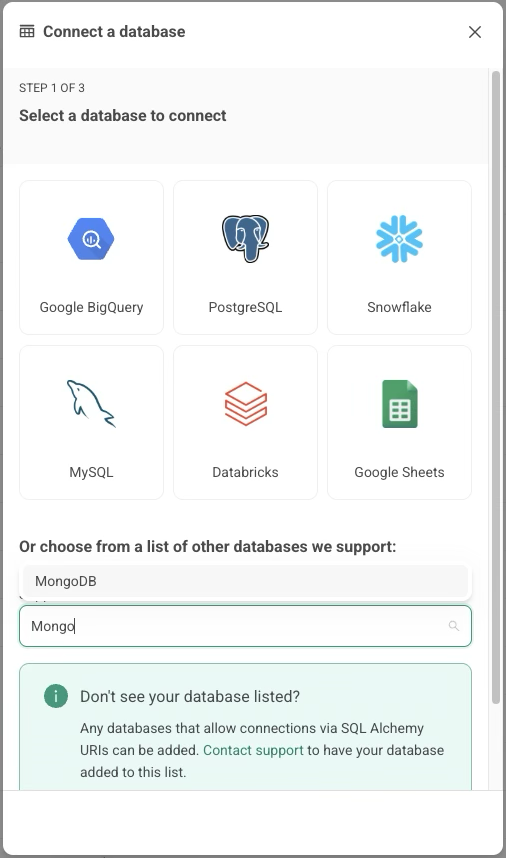
Let's start by selecting + Database. Have a look at Connecting your Data if you need help with this step. Then, in the Connect a database window, go to Or choose from a list of other databases we support. Open the Supported databases dropdown, type Mongo and select MongoDB.
Enter the SQLAlchemy URI
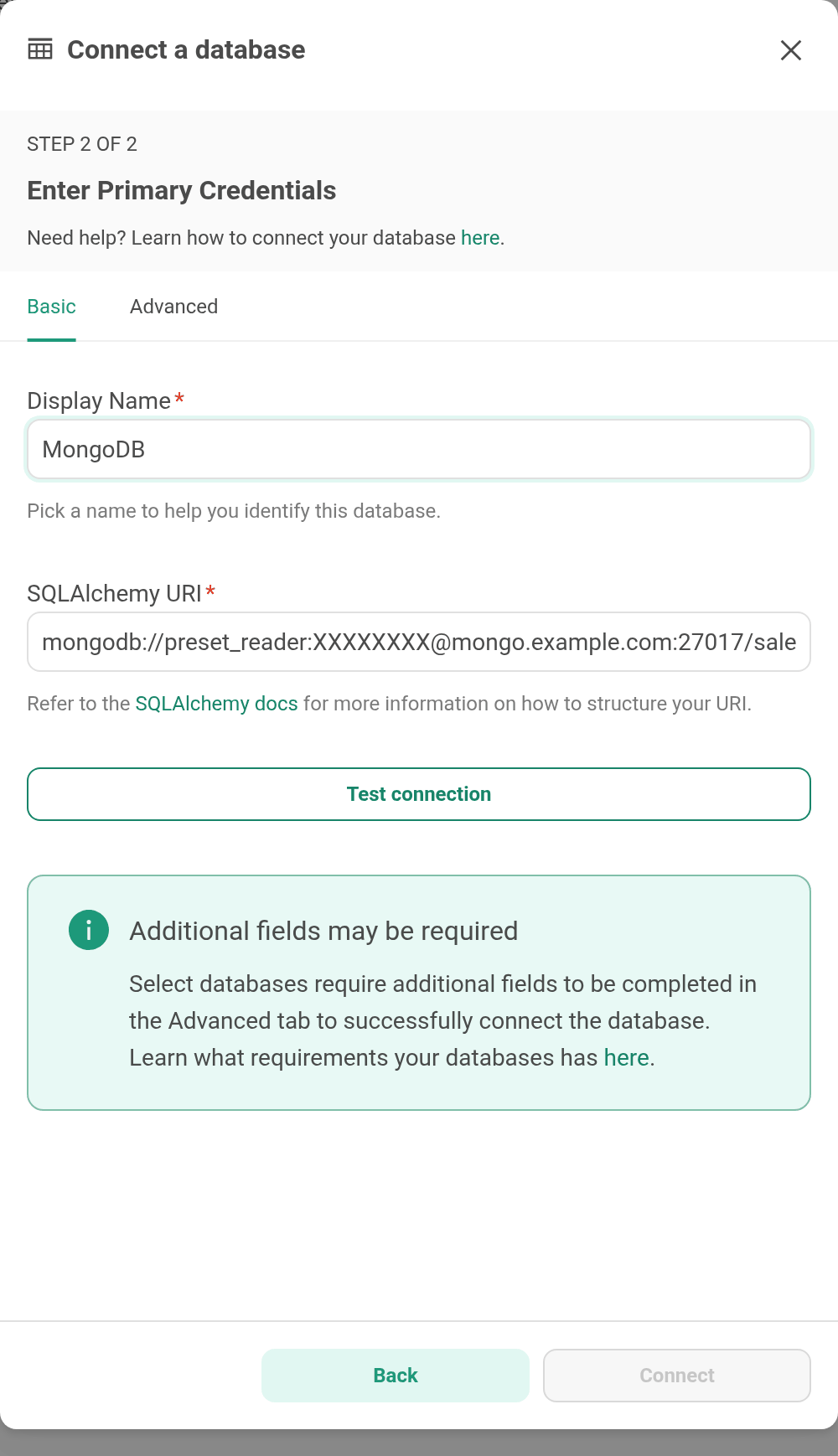
On the Basic tab, enter a Display Name (for example, MongoDB). Then, in the SQLAlchemy URI field, enter the URI for your deployment. Keep mode=superset in the URI; it is required for charts and virtual datasets to work.
mongodb://{username}:{password}@{host}:{port}/{database}?mode=supersetA few tips:
If your password contains special characters (such as
@,:or/), URL-encode them.If your user is defined in a different database (often
admin), add&authSource=adminto the URI.You can add other standard MongoDB options, such as
&tls=trueor&replicaSet=rs0, to the URI as needed.
Make the Connection
Select Test connection. The Connect button is enabled once the test succeeds. To finalize the connection, just select Connect. Your MongoDB database now appears in the Databases list.
If you need any additional configurations, such as exposing the database in SQL Lab or allowing file uploads, edit the database and open the Advanced tab. To learn how to do this, please visit Advanced Connection Settings. Great work!
Working with MongoDB Data
After connecting, each MongoDB database appears as a schema in SQL Lab and in the dataset picker, and each collection appears as a table. Create a dataset from a collection, then build charts as usual.
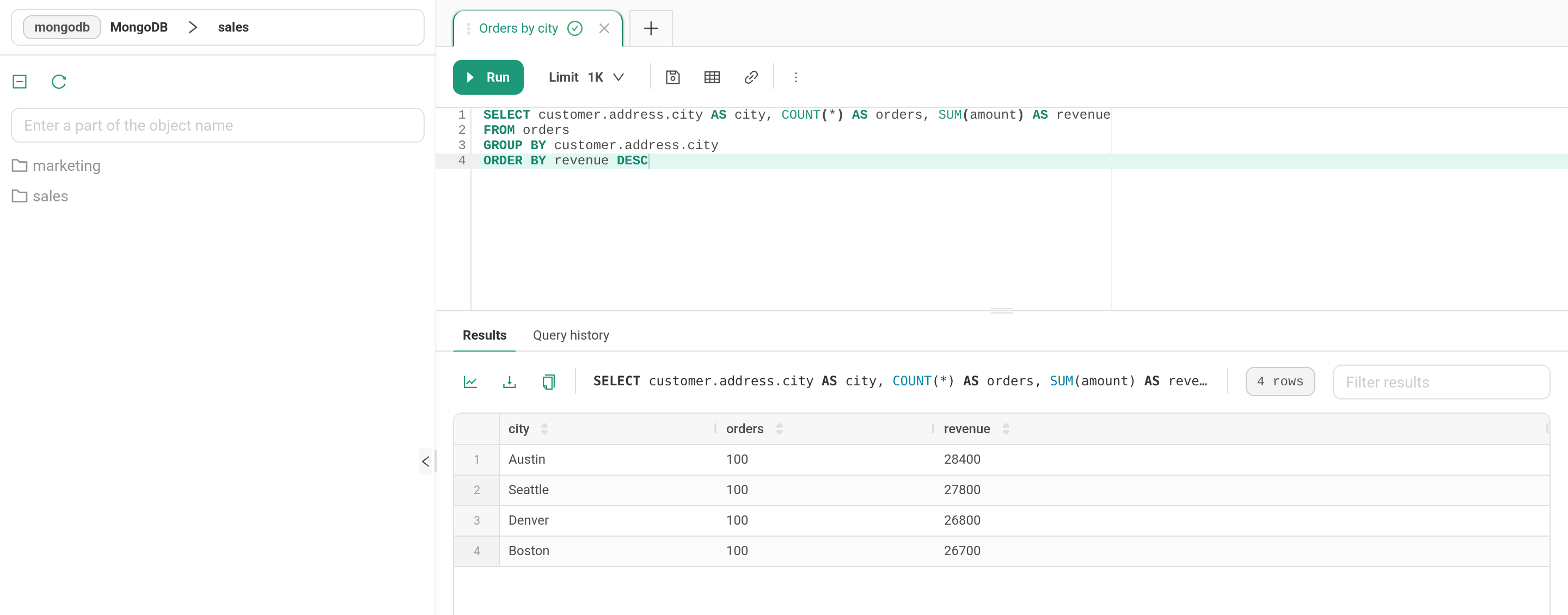
Nested fields: Embedded documents and arrays appear as a single JSON column in the dataset. To use a nested value as its own column, refer to it with dot notation in SQL Lab or a virtual dataset, for example
SELECT customer.address.city AS city FROM orders.Time grains and filters: Time grains (day, week, month and so on) and time-range filters work on date fields. Date grouping uses UTC.
One collection per query: Joining two collections in a single query isn't supported. To combine data, prepare it in MongoDB first (for example, with a view, or an aggregation that writes to a new collection) and query the result.
UUID fields: Fields stored as MongoDB's standard UUID type display as readable UUID text. Legacy UUIDs (binary subtype 3) aren't converted and may display as unreadable characters.
SQL support: Preset uses the open-source PyMongoSQL driver to translate SQL into MongoDB queries. Common
SELECTfeatures (filters,GROUP BY, aggregates,ORDER BY,LIMIT) are supported. Some advanced SQL may not translate.
Troubleshooting
The connection times out: Check that your Preset region's IP addresses are allowed in your firewall or Atlas IP Access List.
Authentication failed: Check the username and password (URL-encode special characters), and set
authSourceto the database where the user is defined.A database is missing from the schema list: Preset only lists databases the connecting user can read. Grant the user the
readrole on that database.A query fails with "Unsupported SQL clause: FROM with a join": Joins between collections aren't supported. Query one collection at a time, or prepare the data in MongoDB first.
A chart or query returns another unsupported-SQL error: Simplify the query (for example, remove a subquery), or prepare the data in MongoDB first.