Overview
You can open a dashboard with its filters already set by adding parameters to the dashboard URL. This is useful for:
- Sharing a link that shows exactly the data you're looking at.
- Linking from another application, email or report to a pre-filtered dashboard.
- Building links dynamically, for example one link per country or customer.
There are three ways to control a dashboard through its URL:
| Method | Use it to | Example |
|---|---|---|
The f parameter |
Set the value of the dashboard's native filters | ?f=(country:France) |
| Saved filter state and permalinks | Reopen a dashboard exactly as someone left it | /dashboard/p/AbC123xYz/ |
| Display parameters | Hide the filter bar or the navigation | ?show_filters=0 |
To pass custom values into a chart's SQL instead, see Using Jinja to retrieve parameters from the URL.
Set filter values with the f parameter
Add f= to the dashboard URL, followed by the filters to set, in parentheses:
https://<workspace>.app.preset.io/superset/dashboard/12/?f=(country:France)
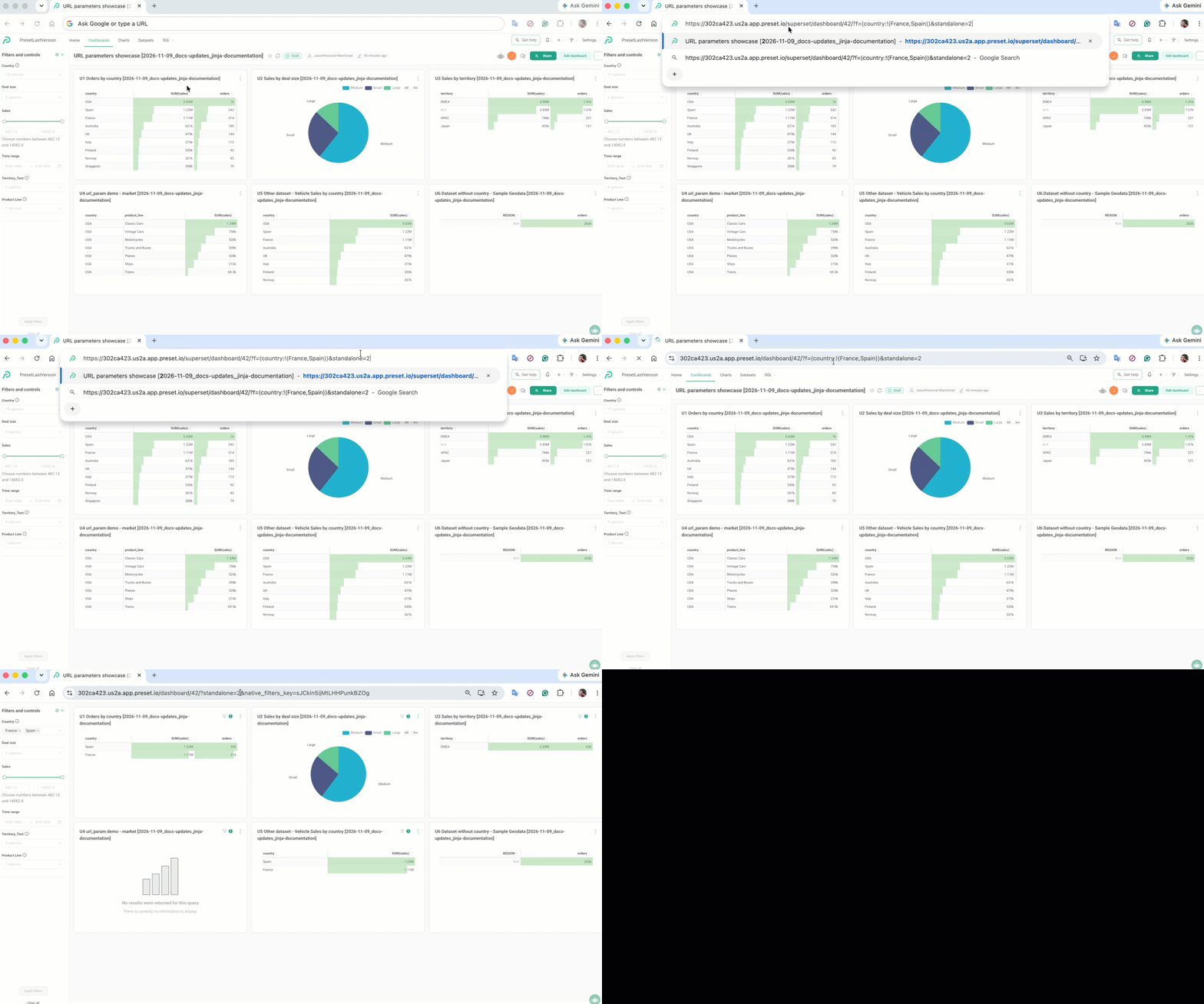
When the dashboard opens, the native filter on the country column is set to France, and the charts in that filter's scope are filtered. It works the same as selecting the value in the filter bar.
A more advanced example:
Syntax
| To | Write | Result |
|---|---|---|
| Select one value | f=(country:France) |
Country = France |
| Select several values | f=(country:!(France,Spain)) |
Country = France or Spain |
| Set several filters | f=(country:USA,deal_size:Small) |
Country = USA and Deal size = Small |
| Use a value with spaces or special characters | f=(product_line:'Classic Cars') |
Product line = Classic Cars |
Rules:
- Wrap the whole expression in parentheses:
(...). - Separate the column and the value with a colon (
:), and separate filters with a comma (,). - Write a list of values as
!(value1,value2). - Put values that contain spaces or special characters in single quotes (
'Classic Cars'). When you build links in code, URL-encode them (for example, a space becomes%20).
The format is called Rison, a compact version of JSON designed for URLs.
How filters are matched
Each condition in f is matched to a native filter by column name: country sets the native filter whose target column is country. The match ignores upper and lower case, so COUNTRY:Germany works too.
- The filter must already exist on the dashboard.
fdoesn't create filters. If no native filter uses the column, see Limitations. - Use the column name, not the filter's display name. For example, use
deal_size, not "Deal size". - The filter applies to the charts in its scope, as usual. This includes charts on other datasets that have a column with the same name, unless they are excluded in the filter's Scoping settings.
What happens to the URL
After the dashboard loads, f is removed from the URL and replaced by a native_filters_key parameter, for example:
/superset/dashboard/12/?native_filters_key=8cNfp0RCSqRkhiv8Rq3WxA
This is expected: the selected values are now stored as the dashboard's filter state. Other parameters, such as custom parameters used in Jinja (?market=France) or display parameters, stay in the URL.
You can combine f with other parameters using &:
/superset/dashboard/12/?f=(country:France)&show_filters=0
Share the current filter state
You don't need to build a URL to share what you see. Preset keeps the current filter selection in the URL automatically:
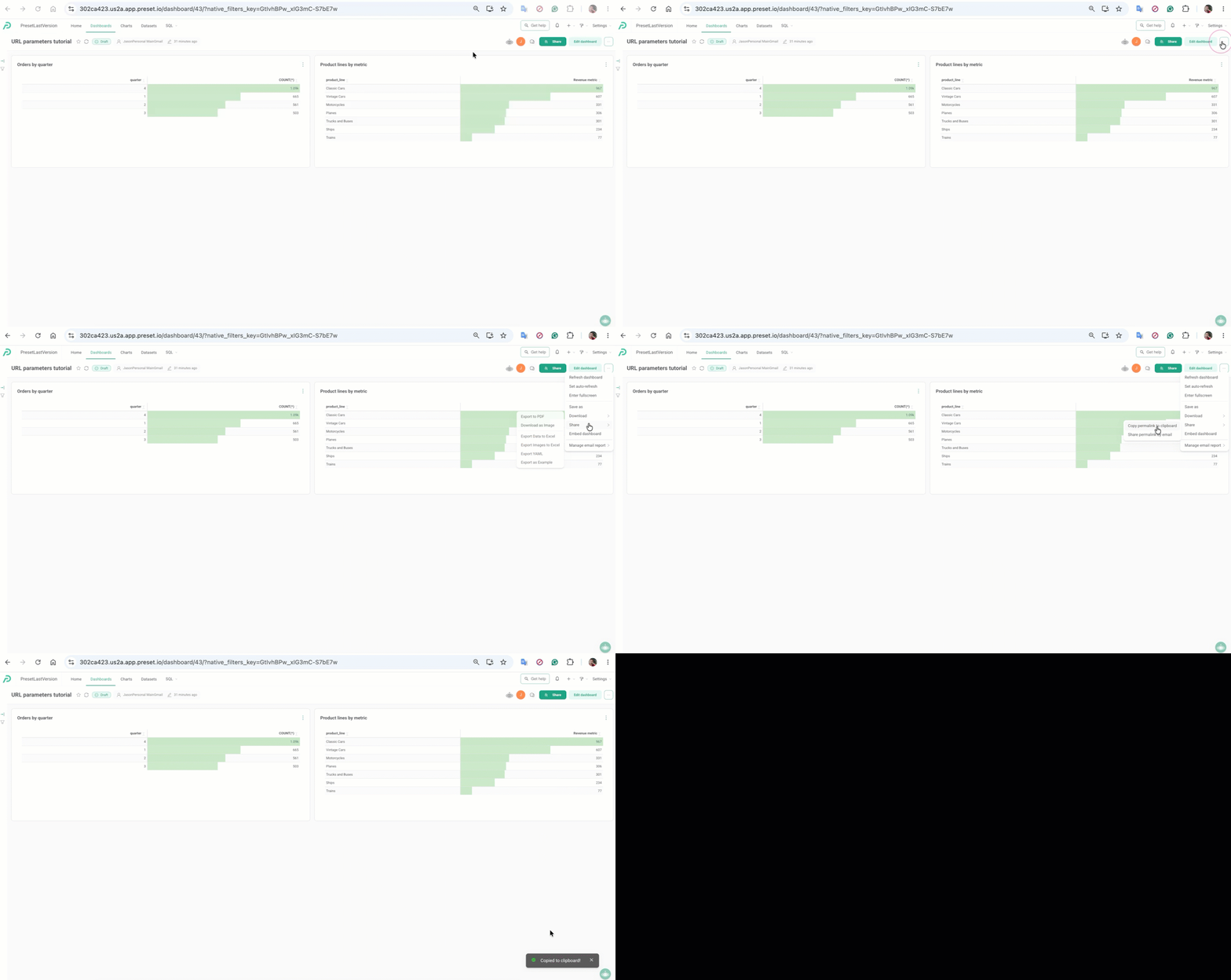
native_filters_key: added to the URL whenever filters change. Opening a URL with this key restores the same filter values. These keys are meant for short-term use and can expire.- Permalink: in the dashboard header, click the ... menu, then Share > Copy permalink to clipboard. The link looks like
/dashboard/p/AbC123xYz/. When opened, it redirects to the dashboard and restores the filter values, the active tab and any custom URL parameters (for example?market=France). Use a permalink for links you want to keep or send to others.
Display parameters
| Parameter | Effect |
|---|---|
show_filters=0 |
Hides the filter bar. Filters set with f still apply. |
expand_filters=0 |
Opens the dashboard with the filter bar collapsed. Viewers can expand it. |
standalone=1 |
Hides the Preset navigation bar. The dashboard title and filter bar stay visible. |
standalone=2 |
Hides the navigation bar and the dashboard title. |
Example:
/superset/dashboard/12/?f=(country:France)&standalone=1&show_filters=0
For embedded dashboards, configure the filter bar and other options through the Embedded SDK instead (see Step 2: Deployment).
Limitations
The f parameter currently supports selecting values in Value (select) filters, as described above. The following aren't supported yet:
- Range filters: a range such as
f=(sales:(between:!(1000,3000)))filters the charts, but the range filter in the filter bar shows an error. - Columns without a native filter: the condition appears in the filter bar under URL Filters, but the charts aren't filtered.
- Time range filters: dates in
fdon't set the Time range filter. - Other operators:
NOTandORdon't work as expected. Use a list of values (!(a,b)) to select several values.
To filter on a column that has no native filter, add a native filter on that column, or use a custom URL parameter with Jinja (see Using Jinja to retrieve parameters from the URL).
Frequently asked questions
Do URL filters change the saved dashboard?
No. They only set the filter values for the person opening the link. The dashboard's default filter values don't change.
Do URL filters bypass data access rules?
No. Row Level Security and dataset permissions still apply. A URL can only narrow down what the viewer is already allowed to see.
Why did the f parameter disappear from my URL?
After the dashboard loads, the filter values are stored as filter state and the URL shows a native_filters_key instead. See What happens to the URL.
Can I still change the filters after opening a filtered link?
Yes. The filter bar works as usual, unless it's hidden with show_filters=0.
What's the difference between f and url_param()?
f sets the dashboard's native filters and needs no setup beyond the filter itself. url_param() is a Jinja macro that reads any custom parameter (for example ?market=France) inside a chart's or dataset's SQL. Use url_param() when there's no native filter for what you need, or when the value changes how a query is built.